Filter utilities#
ska offers a simple access to filter information, as provided by the
SVO Filter Profile Service.
The basic information can be displayed, the transmission curve plotted, and
filters can be searched for by name.
Filter Information#
The main characteristics of a filter, such as central wavelength,
full width at half maximum (FWHM),
pivot wavelength
(see How does it work),
facility, instrument, and band, can be easily retrieved with ska.
The $ ska filter [filter] command prompts a simple summary of the requested filter.
$ ska filter Paranal/VISTA.Ks

Filter ID : Paranal/VISTA.Ks
Facility  : Paranal
Instrument: VIRCAM
Band      : Ks
Central λ : 2.148 (micron)
FWHM      : 0.306 (micron)
Pivot λ   : 2.152 (micron)
The Filter class offers a simple way to access the basic information of a filter.
It also contains a VOFilter attribute, which is a
astropy.io.votable.tree.VOTableFile
object, which contains all informations from the filter VOTable from the
SVO Filter Profile Service.
>>> from ska import Filter                # Class for filters
>>> VISTA_Ks = Filter("Paranal/VISTA.Ks") # Retrieve VISTA Ks filter
>>> VISTA_Ks.facility                     # Access parameter via the dot notation
'Paranal'
>>> VISTA_Ks.instrument
'VIRCAM'
>>> VISTA_Ks.central_wavelength
1.6458237
>>> VISTA_Ks.FWHM
0.289423
>>> type(VISTA_Ks.VOFilter)
astropy.io.votable.tree.VOTableFile
Plotting transmission curves#
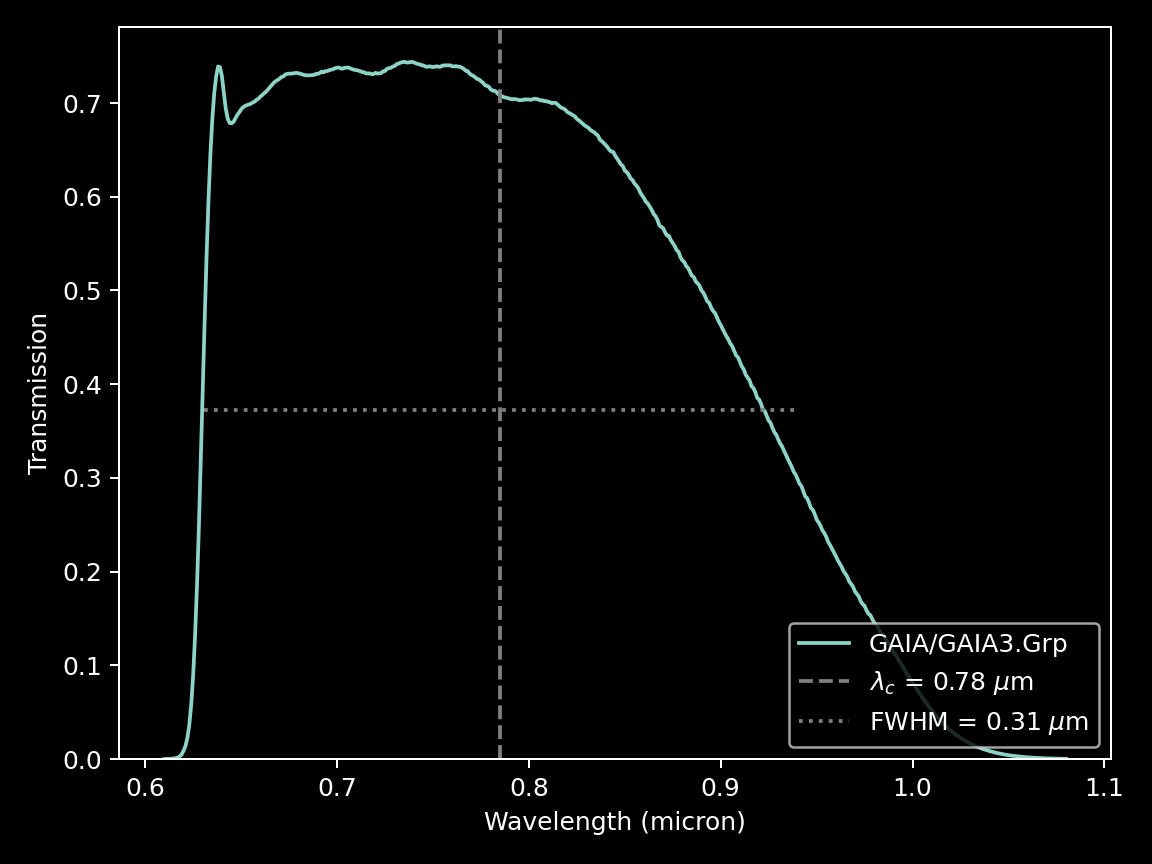
ska can plot the transmission curve of a filter for quick visualization.
The $ ska plot [filter] command will plot the requested transmission curve.
Use the --black option to create a figure with a black background.
Use the --figure [filename] option to save the figure to a file.
$ ska plot GAIA/GAIA3.Grp --black
The transmission curve is accessible with the wave and trans attributes of the
Filter object. The plot_transmission method of the Filter class can be used to
create simple plots of the transmission curve.
>>> from ska import Filter                 # Class for filters
>>> gaia_rp = Filter("GAIA/GAIA3.Grp")     # Retrieve Gaia RP filter (DR3)
>>> gaia_rp.plot_transmission(black=True)  # Plot the transmission curve

Searching among filters#
The SVO Filter Profile Service defines a unique identifier for each filter in its database. It is extremely useful to avoid confusion between similar filters from different facilities and instruments, such as the g filter from the SDSS and Pan-STARRS surveys, that are not the same.
ska offers an interactive search dialog using the fzf fuzzy-finder. Simply type
$ ska id.
The fzf tool needs to be installed separately from ska. On most
systems (Linux + MacOS), this requires a single command on the terminal, as
explained in the fzf documentation.